

The opportunity
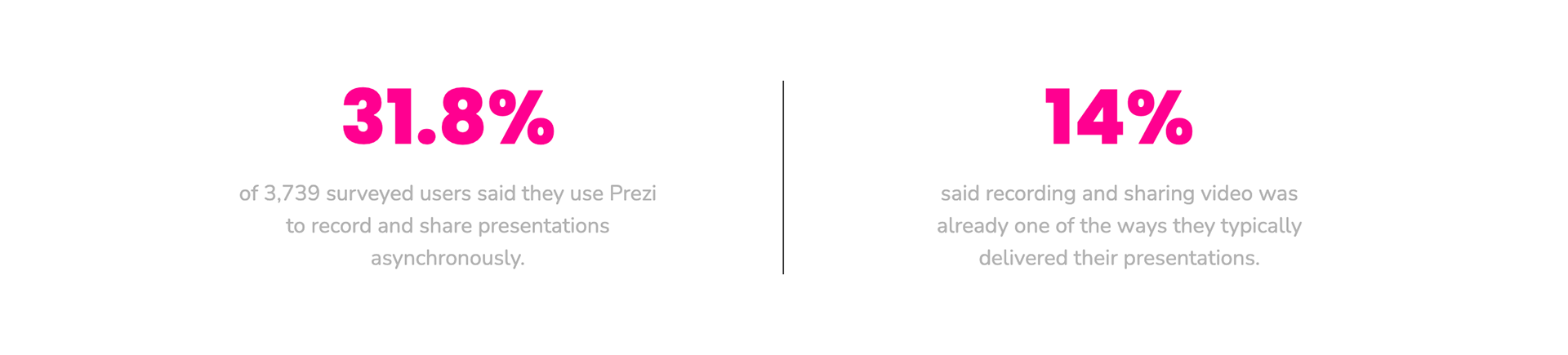
Async presenting was already a meaningful part of how people used Prezi.
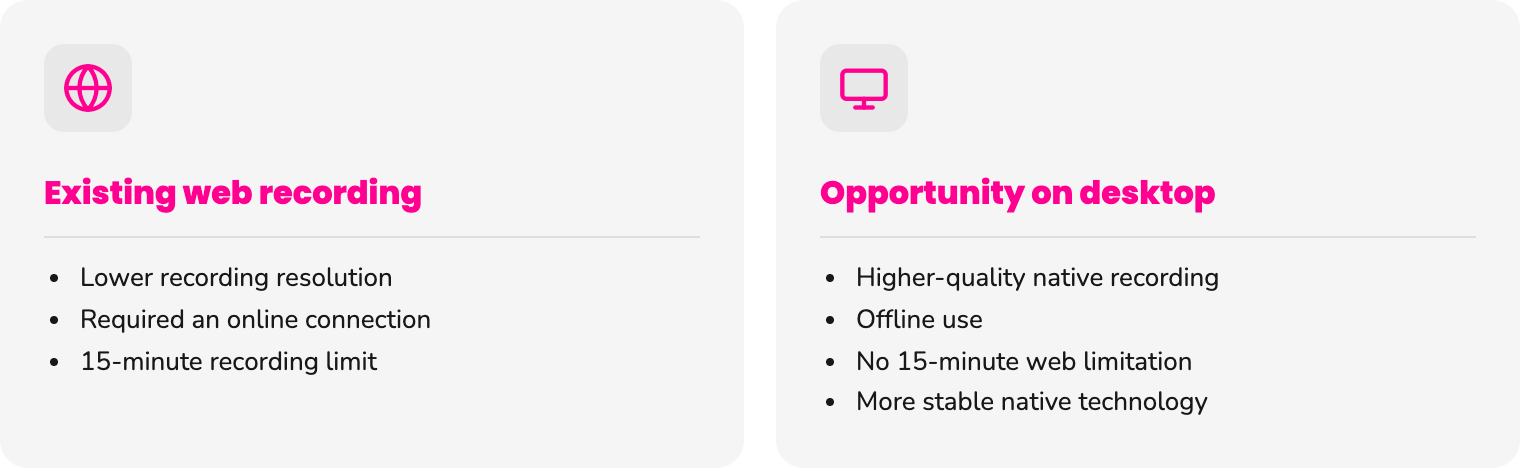
Recording already existed in Prezi Present on the web, but the experience had important limitations.
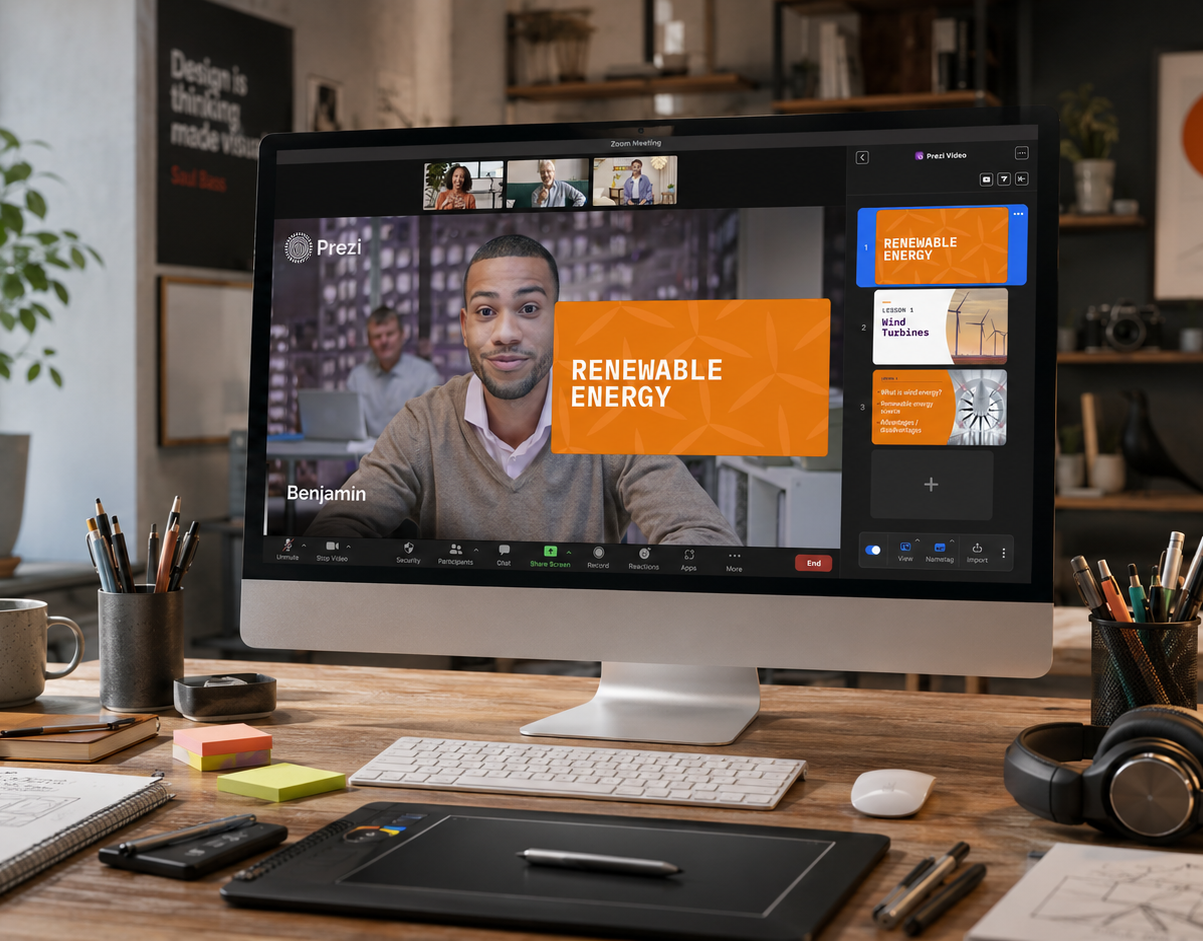
At the same time, Prezi Video — a separate native product — already contained recording technology we could build on.
This created an opportunity to improve an established user workflow while bringing existing native capabilities into Prezi Present.
Defining the experience
Users needed more than a record button.
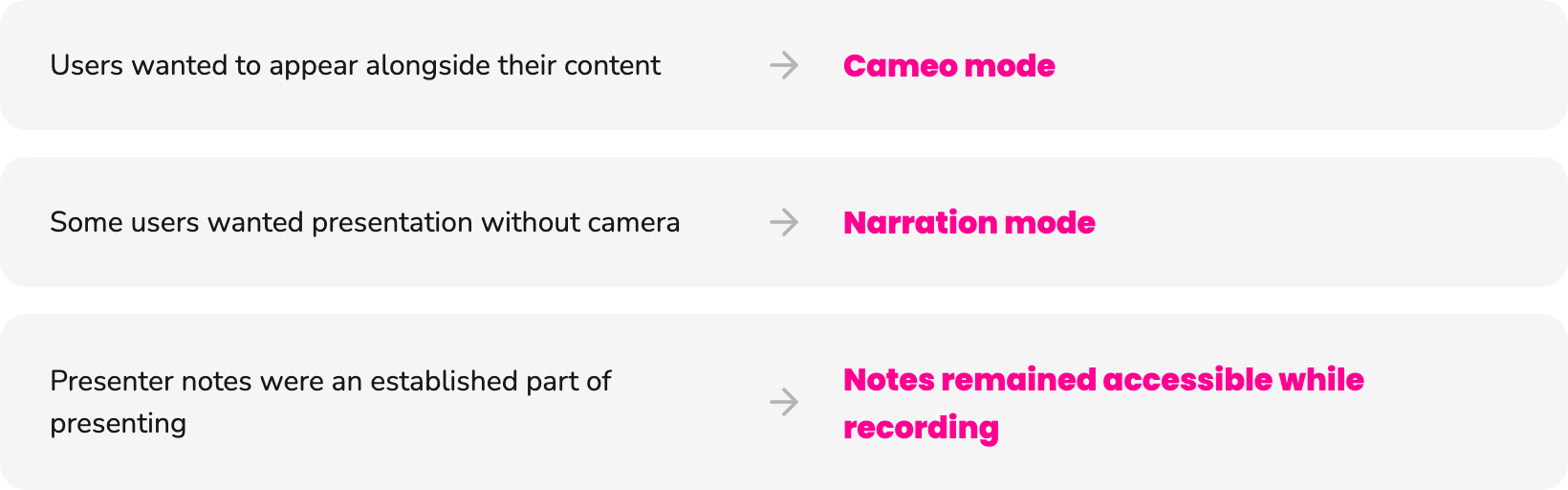
Research showed that people approached asynchronous presenting in different ways.
Some wanted to appear alongside their content. Others preferred voice-only narration. Presenter notes and visibility into upcoming content were also important parts of the presenting workflow.
For V1, we focused on the core experience needed to prepare, record and finish a presentation confidently.
Key design decisions
01 - One window, not two
Choosing the right interaction model
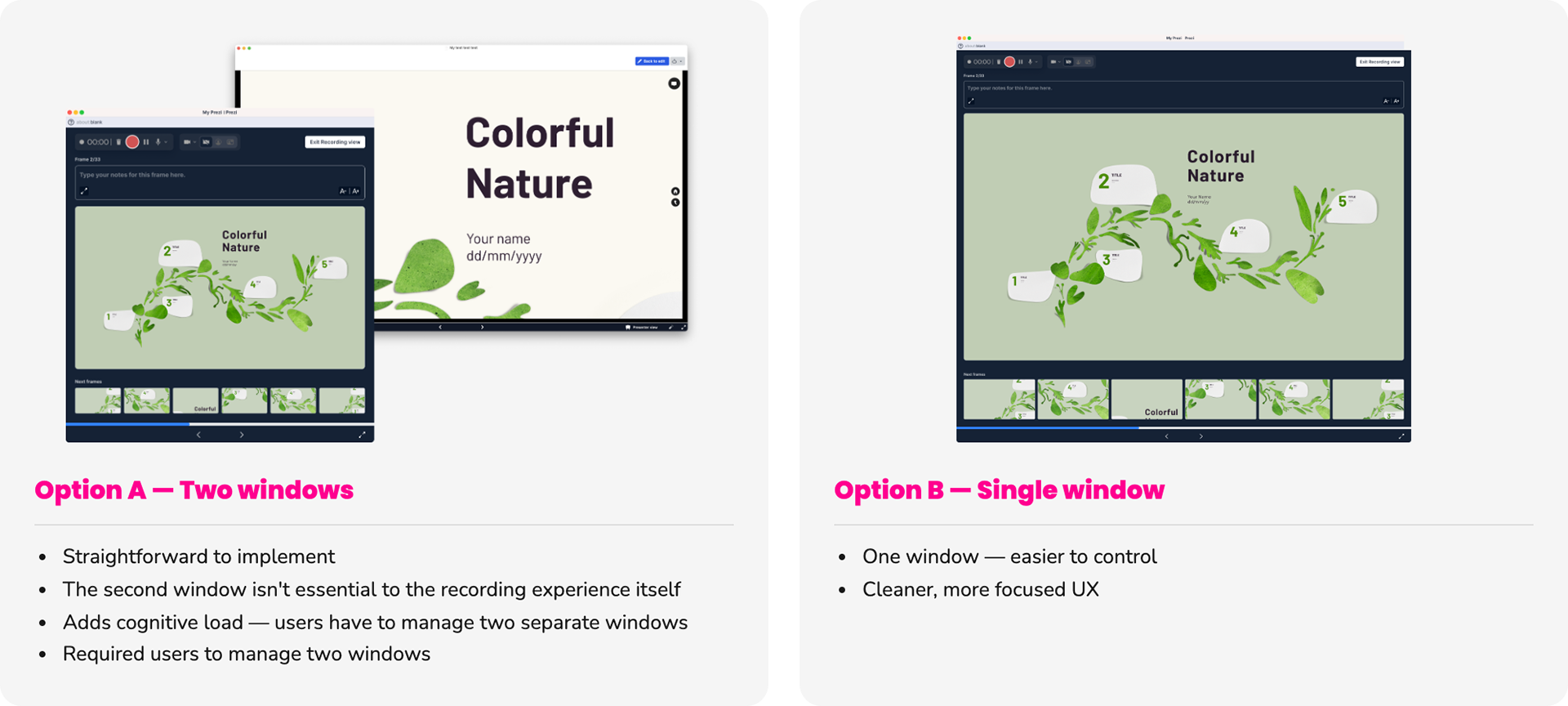
We explored two directions for recording: opening a dedicated recording window alongside the editor, or turning the existing window into the recording experience.
A two-window model was familiar and easier to implement, but it also meant asking users to manage two separate windows while presenting.
We ultimately chose a single-window experience, reducing cognitive load while keeping the presentation itself at the center of the workflow.
The decision: integrate recording into one focused environment instead of adding another layer of window management.
02 - Designing for focus while recording
Giving presenters control without competing with their content
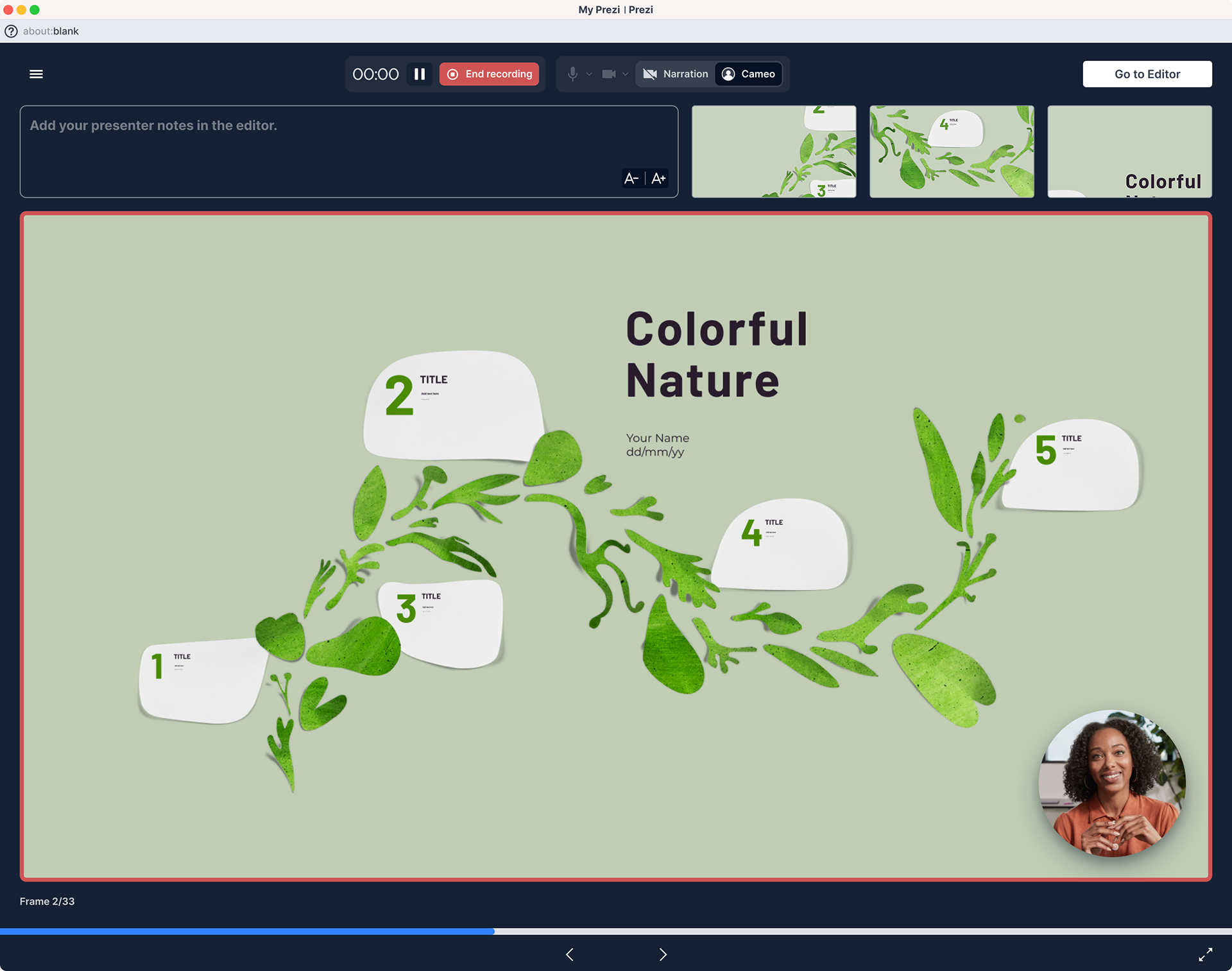
Recording view while recording is active in Cameo Mode
Recording introduced a new set of controls into an already information-rich presentation environment.
Users needed access to their microphone, camera, recording state, presenter notes and upcoming content — without those controls taking over the experience.
Through iteration, stakeholder feedback and usability testing, we refined the hierarchy around a compact control bar positioned at the top of the interface. It also supported the two recording modes identified for V1: Narration, for voice-only recording, and Cameo, which places the presenter’s camera directly within the presentation.
The toolbar also supported the two V1 recording modes: Narration, for voice-only recording, and Cameo, which places the presenter directly within the presentation.
The goal: make essential controls immediately accessible while keeping attention on the presentation.
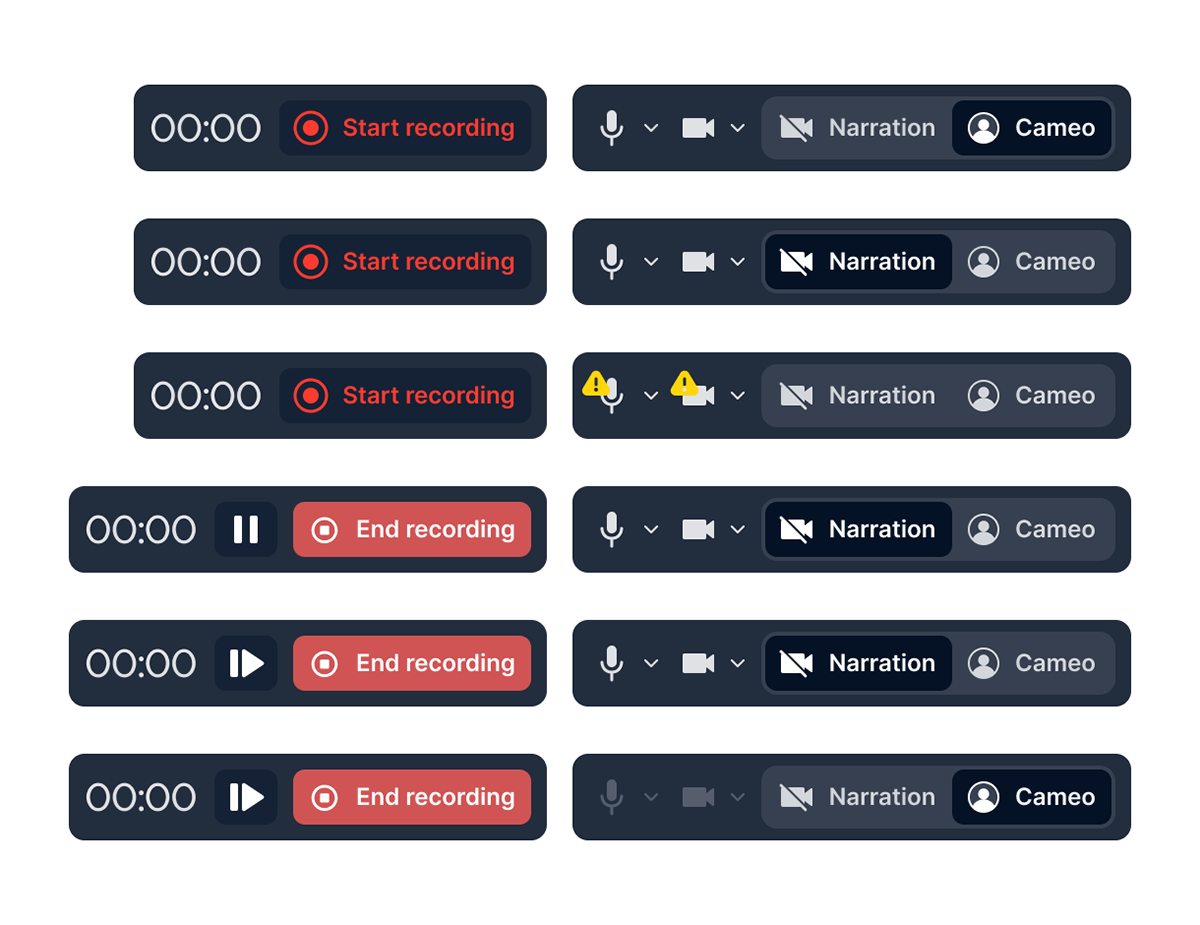
Toolbar variations according to different modes and recording states
03 - Designing within a mature product
Introducing a new workflow without rebuilding the system around it

Prezi Present was an established desktop product with existing interaction patterns, visual conventions, and legacy technology that the recording experience needed to work alongside.
Rather than redesigning the surrounding product, I focused on introducing the new workflow within those constraints, reusing familiar presentation behavior where possible while designing the new states required for recording.
The result was a new capability that felt connected to the existing Prezi Present experience while accommodating the technical realities of a mature product.
The challenge: create something meaningfully new without making it feel like a separate product.
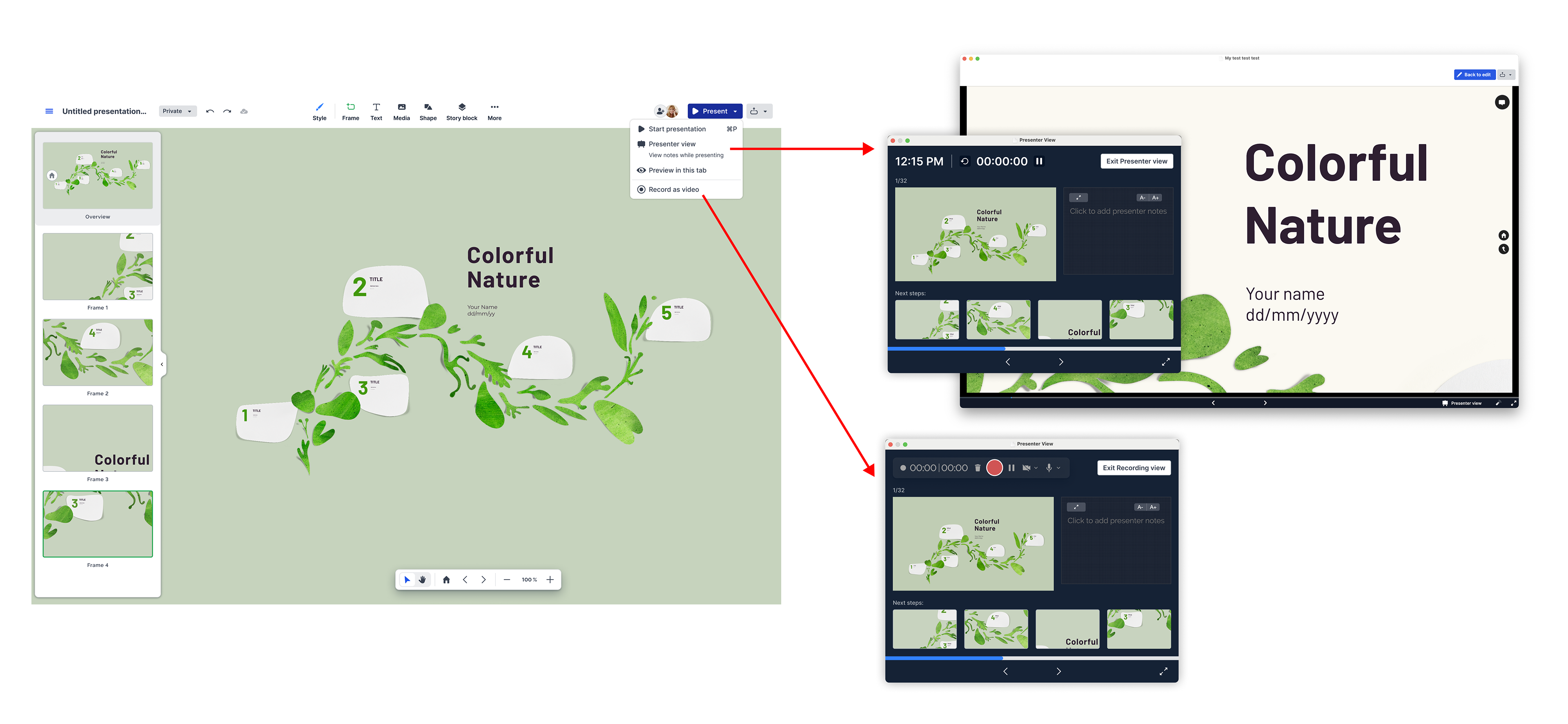
Deciding architecturally how the different experiences differ from each other
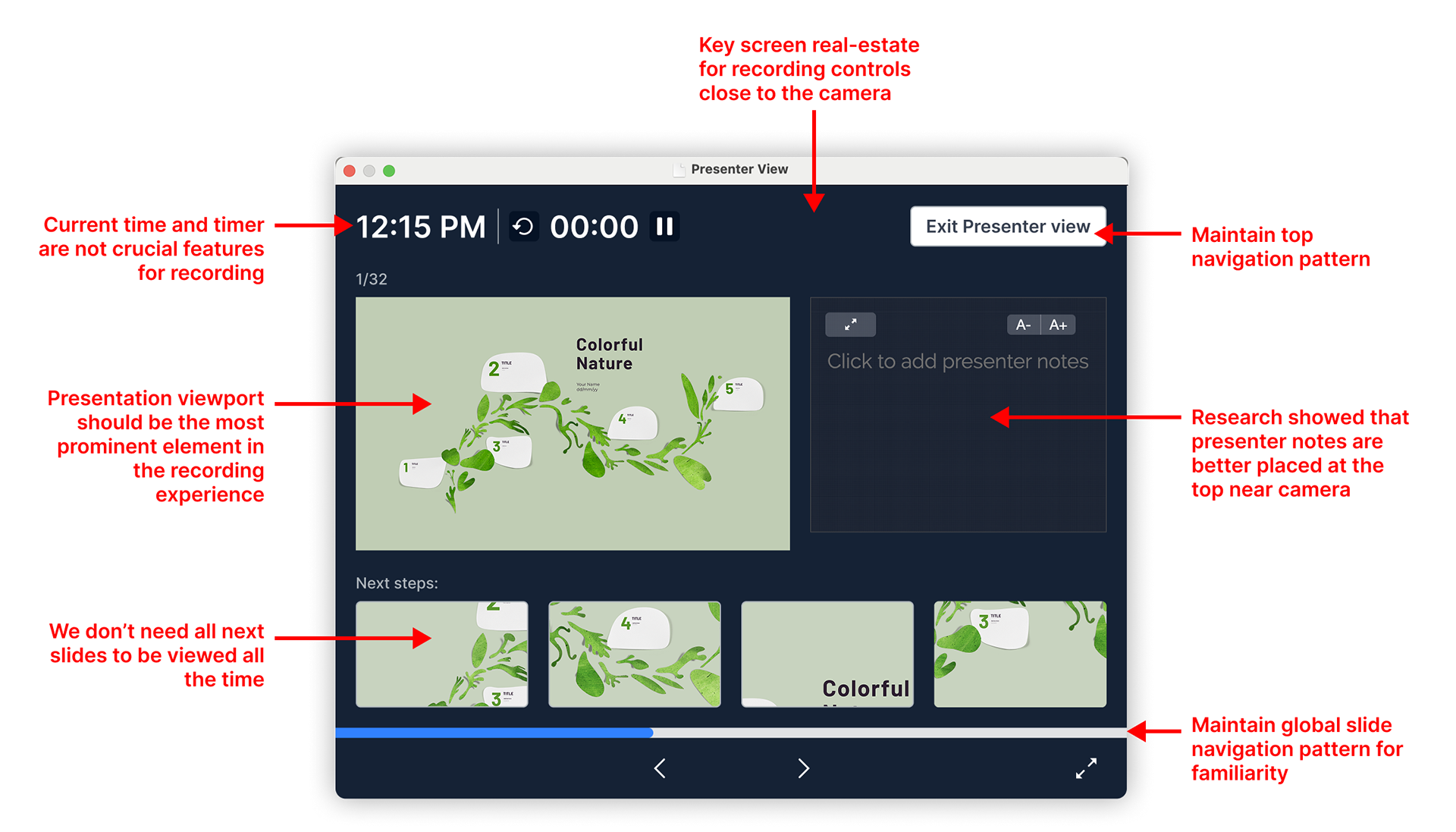
Working off of existing views, like this Presenter View, and deciding how it would affect the new recording experience, taking into consideration user research and how the experiences are different
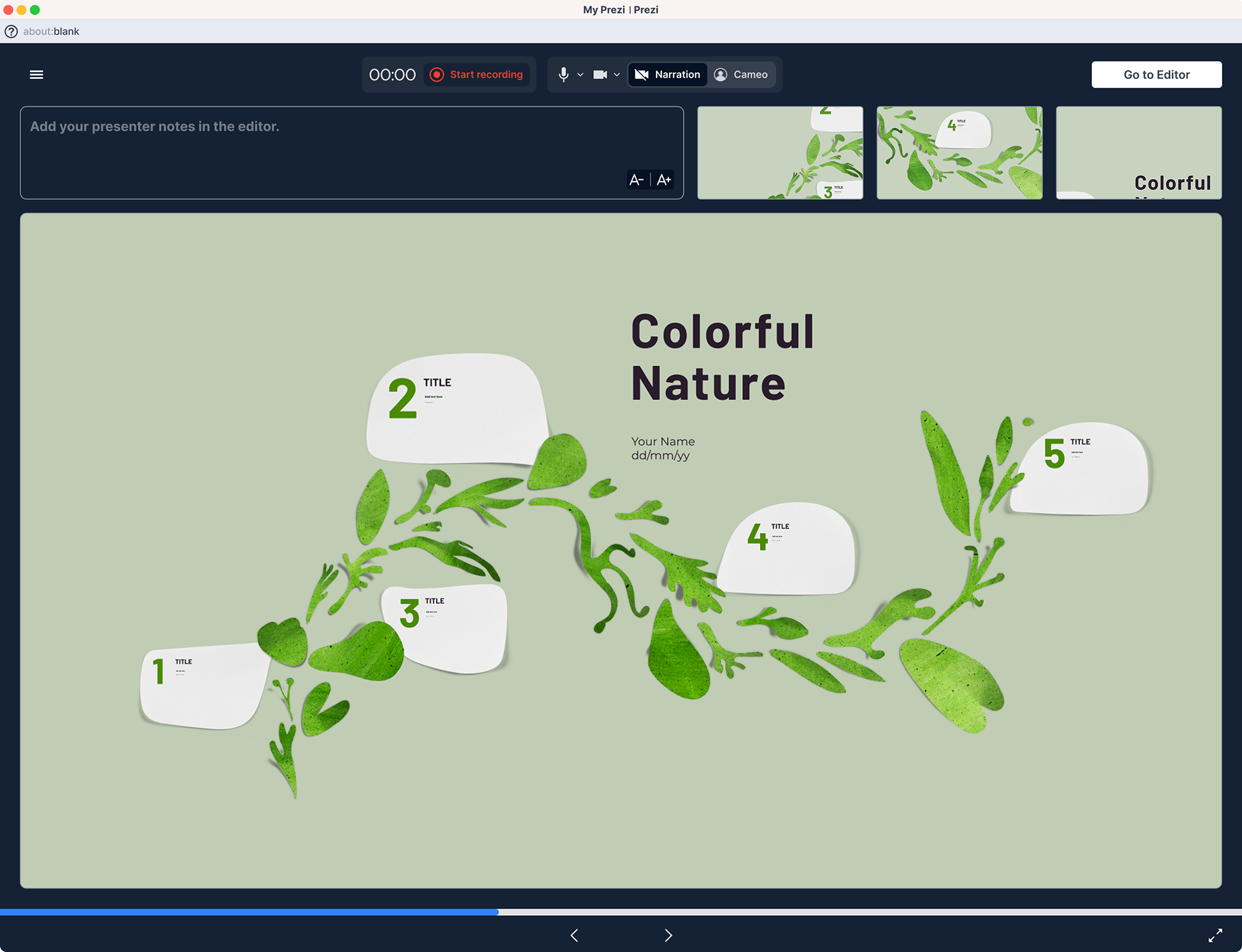
Final default recording view for phase I
The final experience
Designed to stay out of the presenter’s way.
The final experience supported the full recording journey — from preparing the presentation to reviewing and saving the finished video.



Outcome
From web-only recording to a native desktop workflow
The launched experience brought recording directly into Prezi Present’s desktop app and addressed key limitations of the existing web workflow: recording quality, offline access, and the 15-minute recording constraint.
I worked across the full lifecycle of the feature — from discovery and workshops through interaction design, usability testing with UX Research, staff dogfooding, engineering implementation, and the marketing rollout.